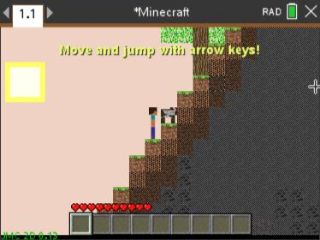
A genuinely deep 2D Minecraft: dig, craft, build, fight mobs, farm, fish, and blow things up with TNT. This is the biggest game in the CX II collection by a mile.
By Jens Kolbinger. Original release page
How to install it
- Download the game with the button above. You'll get a .tns file, the file type TI-Nspire calculators use.
- Open nspireconnect.ti.com in Chrome on a computer or Chromebook, and plug your calculator in with its charging cable.
- Choose File Transfer, then To Calculator, then From Computer, and pick the .tns file you just downloaded.
- When it lands, the calculator shows a prompt. Choose Open and you're playing.
TI's web app only supports the CX II and CX II CAS. If you have an original CX, or you already use the TI-Nspire Student Software, sending the file through that works the same. The game lives in My Documents afterwards, so you can reopen it any time.
The basics
- Arrow keys move you, up jumps.
- Aim at a block with the touchpad or the number pad.
- enter, 5, or a click places a block, breaks a block, or attacks whatever's in front of you.
- ctrl + click (or (-)) uses things: furnaces, chests, crafting tables, doors, beds, TNT.
- esc pauses.
Crafting and your inventory
Press menu to craft, and ctrl + menu (or I) to open your inventory. Inside the inventory you click a stack to grab it, move it to another slot, and click again to drop it. The + and - keys add or remove single items from a stack.
Survival or creative
Survival is the standard grind: gather, craft, don't starve (you eat by selecting food and clicking yourself). If you start a world as creative you also get M to switch gamemodes and F to fly.
It goes deeper
Bows, fishing rods, hoes, flint and steel, and bone meal all work through the (-) key. There's even a mod system: drop a mod file into your MyLib folder, refresh your libraries, and add it from the Mods menu in-game. And worlds can be exported and sent to a friend's calculator.