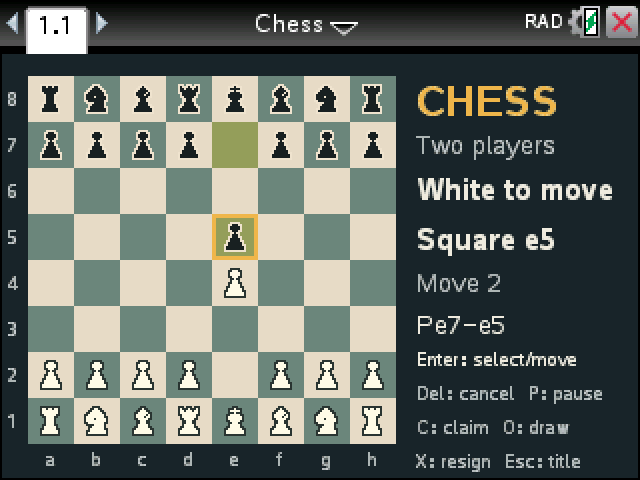
Chess with the full rules. Pass the calculator back and forth with a friend, or play White against the computer.
By CalcPlex.
How to install it
- Download the game with the button above. You'll get a .tns file, the file type TI-Nspire calculators use.
- Open nspireconnect.ti.com in Chrome on a computer or Chromebook, and plug your calculator in with its charging cable.
- Choose File Transfer, then To Calculator, then From Computer, and pick the .tns file you just downloaded.
- When it lands, the calculator shows a prompt. Choose Open and you're playing.
TI's web app only supports the CX II and CX II CAS. If you have an original CX, or you already use the TI-Nspire Student Software, sending the file through that works the same. The game lives in My Documents afterwards, so you can reopen it any time.
Pick an opponent
On the title screen, left and right switch between Two players, Computer easy and Computer hard. Press enter to start. Hard looks further ahead than easy and takes longer over each reply.
Moving pieces
- The arrow keys move the cursor. Press enter on a piece to pick it up, and dots show where it can go.
- Press enter on one of those squares to move there, or del to put the piece back down.
- To castle, move the king two squares toward the rook. En passant works the normal way.
- When a pawn reaches the last rank, choose the new piece with the arrows and enter, or press Q, R, B or N.
Ending a game
Checkmate and stalemate end the game on their own. C claims a draw by threefold repetition or the 50-move rule, O offers a draw in a two-player game, and X resigns after asking you to confirm. P pauses and esc goes back to the title.