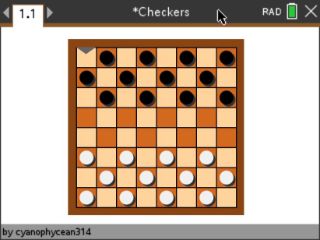
Checkers with a built-in opponent. Play a friend on one calculator, or take on the computer at two different difficulty levels.
Uber-Checkers, by cyanophycean314. Original release page
How to install it
- Download the game with the button above. You'll get a .tns file, the file type TI-Nspire calculators use.
- Open nspireconnect.ti.com in Chrome on a computer or Chromebook, and plug your calculator in with its charging cable.
- Choose File Transfer, then To Calculator, then From Computer, and pick the .tns file you just downloaded.
- When it lands, the calculator shows a prompt. Choose Open and you're playing.
TI's web app only supports the CX II and CX II CAS. If you have an original CX, or you already use the TI-Nspire Student Software, sending the file through that works the same. The game lives in My Documents afterwards, so you can reopen it any time.
The rules, thirty seconds
Pieces slide diagonally. You capture by jumping an enemy piece when the square behind it is open. Get a piece to the far side and it becomes a king, which can move in any direction. Run your opponent out of pieces or moves and you win.
Controls
- Arrow keys or the mouse move around the board.
- enter picks a menu option, selects a piece, and confirms its move.
- tab restarts the game.
- esc quits back to the menu.
Two computer levels means there's a warm-up opponent and a real one. Start on easy, move up when winning stops feeling like news.