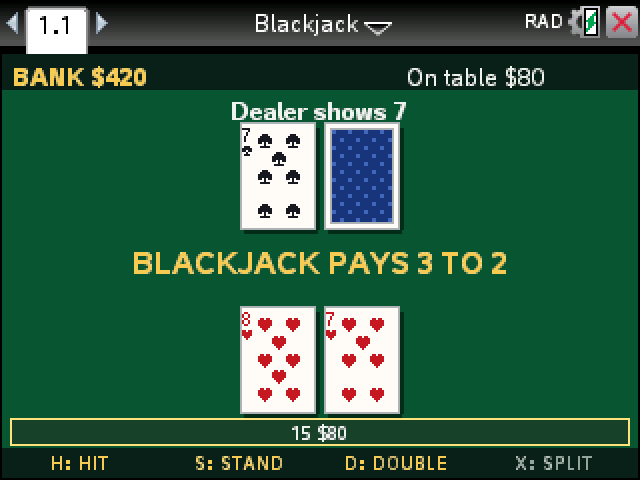
Blackjack against the dealer from a six-deck shoe. You start with $500 and bet anywhere from $10 to $500 a hand.
By CalcPlex.
How to install it
- Download the game with the button above. You'll get a .tns file, the file type TI-Nspire calculators use.
- Open nspireconnect.ti.com in Chrome on a computer or Chromebook, and plug your calculator in with its charging cable.
- Choose File Transfer, then To Calculator, then From Computer, and pick the .tns file you just downloaded.
- When it lands, the calculator shows a prompt. Choose Open and you're playing.
TI's web app only supports the CX II and CX II CAS. If you have an original CX, or you already use the TI-Nspire Student Software, sending the file through that works the same. The game lives in My Documents afterwards, so you can reopen it any time.
Betting and playing
- On the bet screen, left and right change the bet by $10 and up and down by $50. enter deals.
- H hits, S stands, D doubles and X splits.
- If the dealer shows an ace, you're offered insurance first. Y takes it, N passes.
- R shows the house rules, P pauses, and esc goes back to the title. A bet still on the table when you leave is lost.
House rules
- The dealer stands on every 17, soft ones included, and checks for blackjack before you act.
- Blackjack pays 3 to 2. Insurance costs half your bet and pays 2 to 1.
- Double on any two cards, after a split too.
- Split any two cards of equal value, so a king and a queen count, up to four hands. Split aces get one card each.
- The shoe is reshuffled once 75% of it has been dealt.
Lose it all and enter hands you a fresh $500. Your record and your best bankroll stay on the title screen until you close the document.