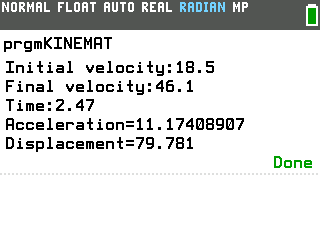
Type the three values you know from a motion problem and this program finds the other two, using the kinematics equations for constant acceleration.
By CalcPlex.
Send it to your calculator
Nothing listed in the connect popup: the calculator has to be plugged in and switched on to appear. Wake it up, check the USB cable (charge-only cables won't work), or move to a different port. Close any other tab that's using the calculator.
Open it on the calculator
- Press the
prgmkey. The PROGRAMMING menu opens.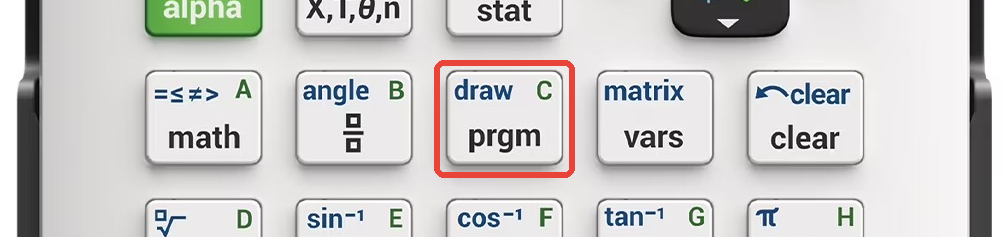
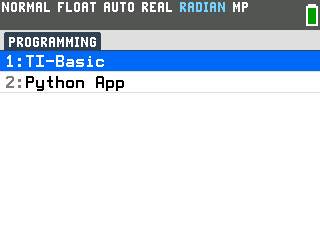
- Press
enterto select TI-Basic. The list of TI-Basic programs opens.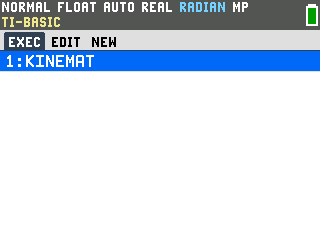
- Press
enteron KINEMAT in the program list, which puts prgmKINEMAT on the home screen. - Press
enterto run it. The program asks what you want to find.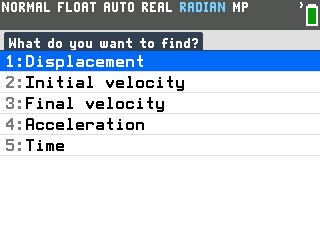
Solve a problem
A race car speeds up from 18.5 m/s to 46.1 m/s in 2.47 seconds. Find its acceleration and how far it traveled.
- Select Acceleration. The program asks which other value the problem
doesn't give you.
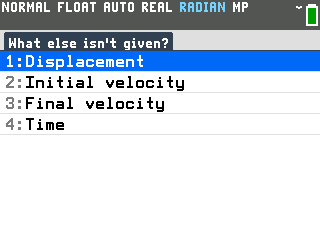
- Select Displacement. The distance traveled is the other unknown. The
program now asks for the initial velocity.
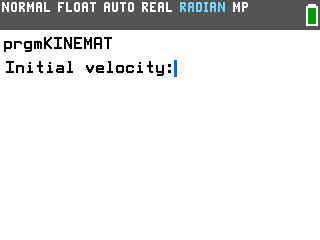
- Type 18.5, 46.1 and 2.47, pressing
enterafter each. Those are the initial velocity, the final velocity and the time. The answer prints as Acceleration=11.17408907 and Displacement=79.781.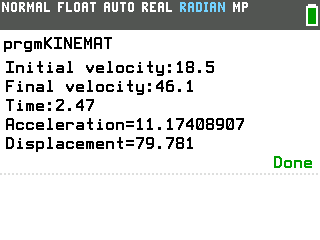
The program doesn't know your units. Type every value in the same system (meters and seconds here) and the answers come back in it: 11.2 m/s² and 79.8 m once rounded.
To solve another one, press enter on the home screen. The calculator reruns the program and the first question comes back.
Good to know
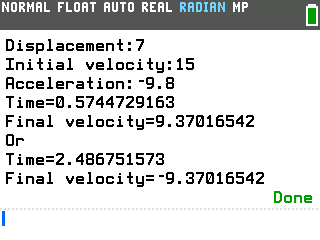
- Some problems have two answers, and you get both. A ball thrown up
at 15 m/s passes a branch 7 m up twice, once going up and once coming down. Find Time
with Final velocity as the other unknown, type 7, 15 and −9.8, and the program
prints both moments, joined by Or. They are 1.91 seconds apart.
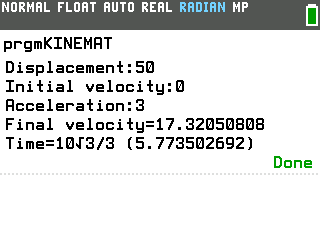
- Whole-number problems get exact answers too. When the three values
you type are whole numbers, an answer with a square root or a repeating decimal prints
in exact form first, with the decimal in parentheses. Starting from rest at 3 m/s²
over 50 m, the time comes out as 10√3/3.
- The last answer stays in Ans. For a vertical jump, solve for the
time up to the top, then press
×2enteron the home screen for the total hang time. - The answers are also kept in letters. D holds the displacement, U the initial velocity, V the final velocity, A the acceleration and T the time, so you can use any of them in your next calculation.