Nothing listed in the connect popup: the calculator has to be plugged in and switched on to appear. Wake it up, check the USB cable (charge-only cables won't work), or move to a different port. Close any other tab that's using the calculator.
Open it on the calculator
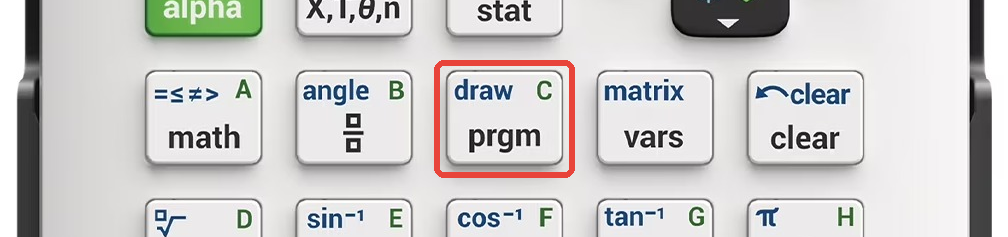
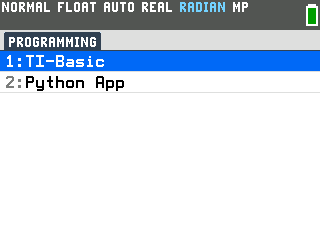
Press the prgm key. The PROGRAMMING menu opens.
Press enter to select TI-Basic. The list of TI-Basic
programs opens.
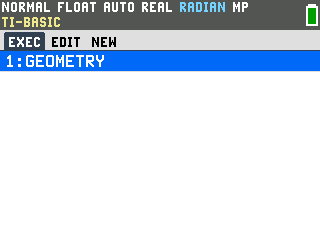
Press enter on GEOMETRY in the program list, which puts
prgmGEOMETRY on the home screen.
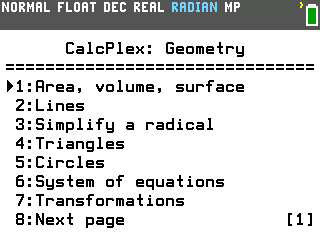
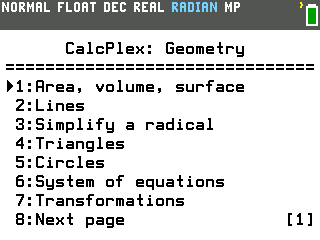
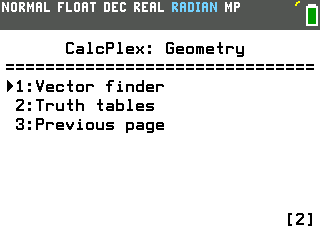
Press enter to run it. The menu comes up, with Vector
finder and Truth tables on a second page.
Find your way around
Press a number to pick a topic. Most topics open a second list of
tools; press a number there too, or pick Go back.
Press the right arrow for the second page and the left arrow to come
back.
Type 0 for anything you don't know. The solvers ask for every
measure and fill in the ones you left at 0.
After an answer, press enter to get back to the menu.
Press clear at the menu to leave the program.
Solve a right triangle
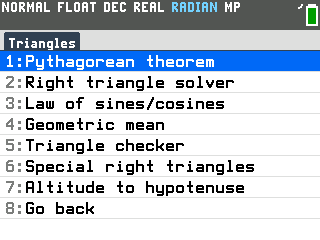
Press 4 for Triangles. The list of triangle tools opens.
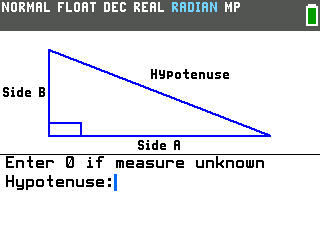
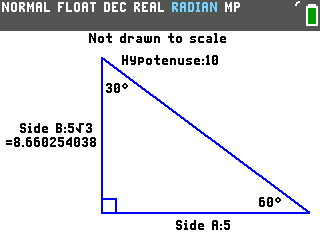
Press 2 for Right triangle solver. It draws a right triangle with the
sides labelled and asks for the hypotenuse first.
Type each measure you know and 0 for the rest, pressing
enter after each. For a hypotenuse of 10 with a 30° angle between Side B
and the hypotenuse, that is 10, then 0 and 0 for the two sides, then 30, then 0 for the
last angle.
Read the answers off the triangle. Side A is 5, Side B is 5√3
(8.660254038), and the other angle is 60°.
Two measures are enough as long as one of them is a side. Angles are in degrees even
when the calculator is in radian mode.
Everything else on the menu
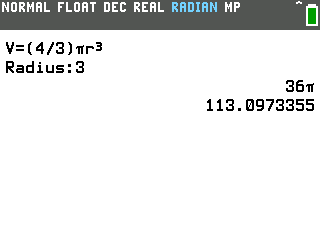
Area, volume, surface. Pick a shape and type its measures. Area covers
triangles, parallelograms, trapezoids, regular polygons, circles, ellipses and kites, and
volume covers prisms, pyramids, cylinders, cones, spheres and frustums. Answers with
π in them print both ways: a sphere with radius 3 has a volume of 36π, or 113.0973355.
Lines. Distance (with the simplified radical), midpoint, the other
endpoint from a midpoint, and the equation of a line from two points or from a point and a
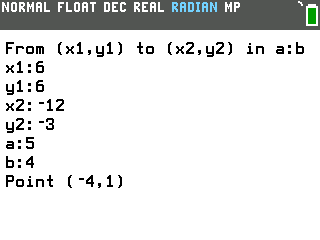
slope, along with the perpendicular slope. Section formula finds the point that splits a
segment in a ratio: from (6,6) to (−12,−3) in the ratio 5:4, it's (−4,1).
Perpendicular line gives the line through a point at a right angle to a slope you type.
Simplify a radical. Type the number under the root and it prints the
simplified form and the decimal.
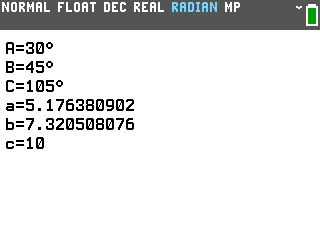
Law of sines/cosines (under Triangles). Type the three measures you
have, with 0 for the other three, and it lists all six. When two different triangles fit,
it shows both.
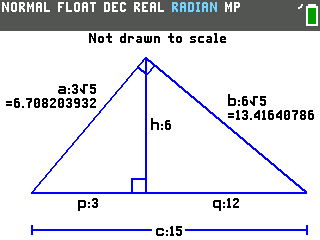
Altitude to hypotenuse (under Triangles). For the altitude drawn to a
right triangle's hypotenuse, type any two of the six lengths and it draws the rest on the
triangle, with simplified radicals where it can.
The rest of Triangles. The Pythagorean theorem (type 0 for the missing
side), the geometric mean of two numbers, a checker that says whether three lengths make a
triangle and whether it's acute, right or obtuse, and the 45-45-90 and 30-60-90 special
right triangles.
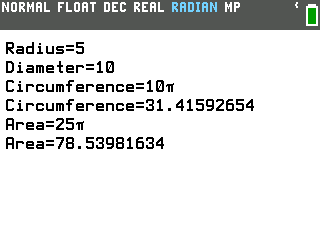
Circles. Circle solver takes any one of the radius, diameter,
circumference or area and finds the other three. Type a circumference with the π key,
like 10π, and it finds a radius of 5 and an area of 25π.
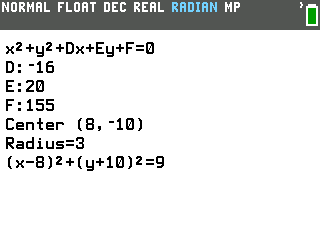
Center and radius reads a circle written as x²+y²+Dx+Ey+F=0 and gives its center,
radius and standard form. The menu also has the equation of a circle from its center and
radius, sector area, arc length, and a labelled diagram of a circle's parts.
System of equations. Type two lines in Ax+By=C form and it prints x and
y, as fractions when the decimals repeat.
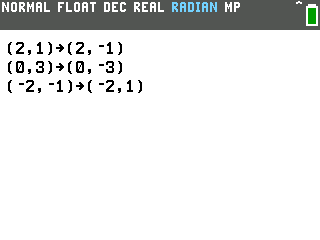
Transformations. Pick a reflection (over an axis, y=x, y=−x or
any vertical or horizontal line), a translation, a counterclockwise rotation or a dilation,
then type up to 6 points. Rotation and dilation also ask for a center, with 0,0 for the
origin.
Vector finder (second page). Type a vector's start and end points, or
its components with 0 for the start, and it gives the component form, the magnitude and the
direction in degrees.
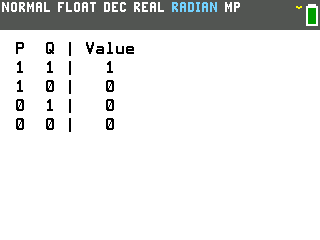
Truth tables (second page). Type an expression with letters, like
P and Q, and it prints the table: a column for each letter, then the Value column. Longer
tables scroll with the up and down arrows. The and, or, xor and not( commands are under
2ndmath, then the right arrow. Type 0 at the prompt for help.