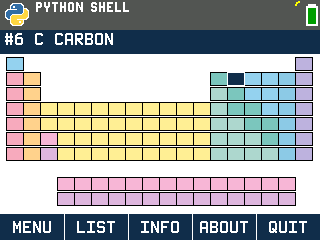
A full periodic table for the TI-84 Evo, made by smaggelThief. Move around the table like the chart on your classroom wall and open any of the 118 elements for its atomic mass, electron configuration, radius, ionization energy and more.
By smaggelThief. MIT License. Original release page
Send it to your calculator
Nothing listed in the connect popup: the calculator has to be plugged in and switched on to appear. Wake it up, check the USB cable (charge-only cables won't work), or move to a different port. Close any other tab that's using the calculator.
Open it on the calculator
- Press the
prgmkey. The PROGRAMMING menu opens.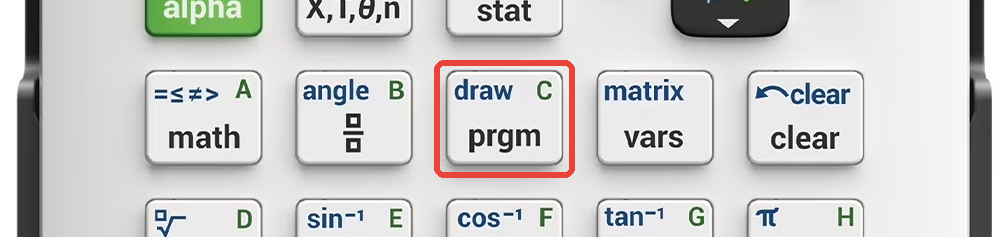
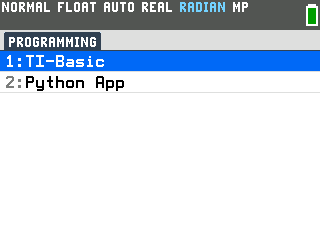
- Press
2to open the Python App. Its file list opens.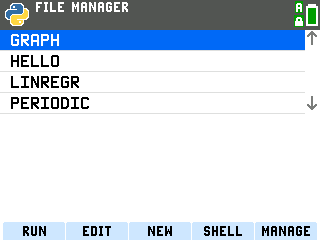
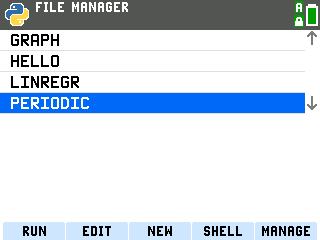
- Press the down arrow until PERIODIC is highlighted.
- Press
enterto run it. The program opens on the table with hydrogen selected.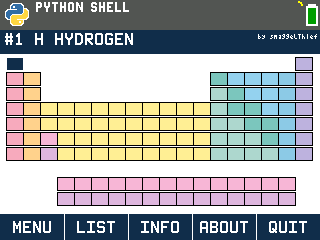
Look up an element
These steps open carbon.
- Press the right arrow five times. The right arrow steps through the elements in order, so the title bar reads #6 C CARBON. Up and down move to the element above or below on the table.
- Press
enter. Carbon's details open.![Carbon's details on the TI-84 Evo: atomic mass 12.011 u, electron configuration [He]2s2 2p2, radius 170 pm](/images/evo/periodic-carbon.png)
On the details screen, up and down scroll through the rest of carbon's properties, and
left and right switch to the previous or next element. Press enter on a
property to see what it means, for example that first ionization energy is the energy
needed to remove the first electron. clear goes back to the table.
Find an element by name
- Press
windowon the table. The element list opens in atomic-number order.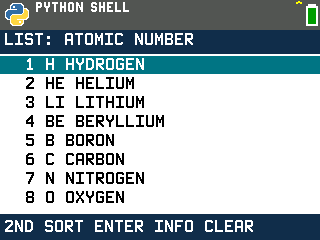
- Press
2ndto change the order. Pick atomic number, name or symbol.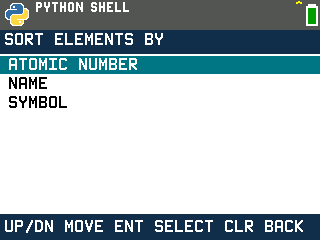
- Press
enteron an element to open its details.
What else is in it
- The menu (
y=on the table) has the element list, graphs of atomic radius, first ionization energy, electronegativity, density and melting point across the elements, and an option to show element symbols on the table.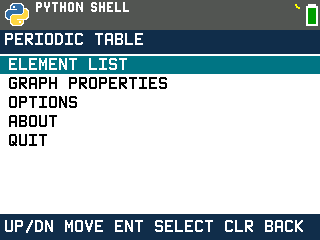
- Every element has its atomic mass, protons and neutrons, electron configuration, atomic radius, first ionization energy, electronegativity, density, melting and boiling points, state, oxidation states, discovery year and family. Values come from the PubChem periodic table, and a value PubChem doesn't list shows as --.
- Press
2ndon a number in an element's details to store it in the calculator list PVAL, so you can use it in a calculation. - Press
clearon the table to quit.