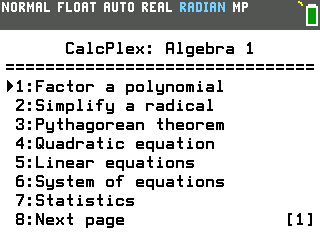
This program puts 10 tools on your TI-84 Evo for the problems you'll run into in Algebra 1, from factoring polynomials to systems of equations.
By CalcPlex.
Send it to your calculator
Nothing listed in the connect popup: the calculator has to be plugged in and switched on to appear. Wake it up, check the USB cable (charge-only cables won't work), or move to a different port. Close any other tab that's using the calculator.
Have a TI-84 Plus CE? Get Algebra 1 Suite for the CE.
Open it on the calculator
- Press the
prgmkey. The PROGRAMMING menu opens.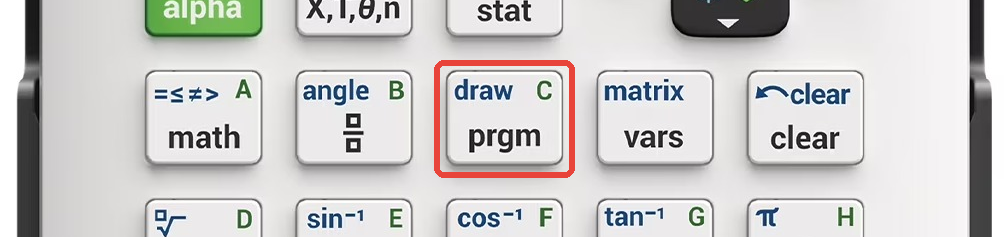
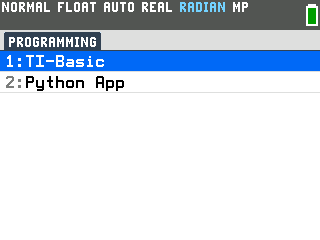
- Press
enterto select TI-Basic. The list of TI-Basic programs opens.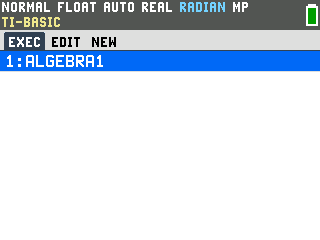
- Press
enteron ALGEBRA1 in the program list, which puts prgmALGEBRA1 on the home screen. - Press
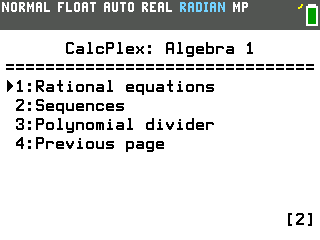
enterto run it. The menu comes up: seven tools on the first page, with three more on a second page.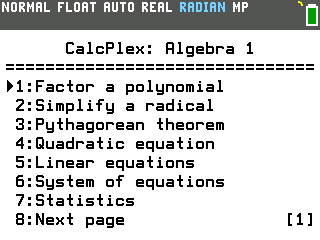
Pick a tool
- Press a tool's number, or arrow down to it and press enter.
- Press the right arrow for the second page and the left arrow to come
back. Next page and Previous page on the menu do the same thing.
- After an answer, press enter to get back to the menu.
- Press clear at the menu to leave the program. The mode key works too.
Factor a polynomial
- Select Factor a polynomial. It asks for the highest power in the
polynomial.
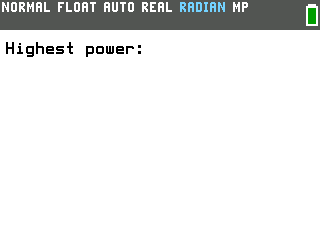
- Type the highest power and press
enter. For 2x² + 7x + 3 that is 2. The program then asks for each coefficient in turn, from x² down to the constant. - Type the coefficients, pressing
enterafter each. Here that is 2, then 7, then 3. It prints the factored form, (2x+1)(x+3).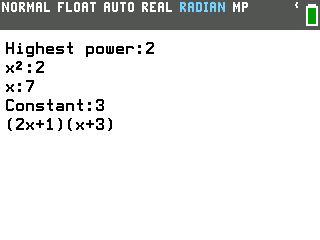
It takes whole-number coefficients and a highest power up to 8. When a polynomial has no whole-number factors it says so instead of guessing, and for a quadratic it lists the two roots as well.
The other tools
- Simplify a radical. Type the number under the root and it prints the simplified form and the decimal, like =2√3 and =3.464101615 for √12. Whole numbers up to 100000; negative values use i, so √−12 becomes 2i√3.
- Pythagorean theorem. Pick which side is missing and type the other two, check whether three lengths make a right triangle, or find the distance between two points, as a decimal and as a simplified radical.
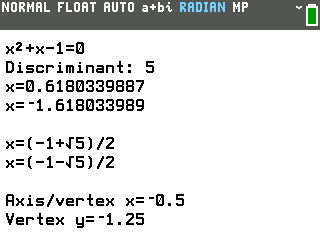
- Quadratic equation. Type a, b and c. It prints the equation, the
discriminant, both solutions as decimals, the exact form when the answer is a fraction or a
radical, and the vertex. Solutions with no real value print in a+bi form.
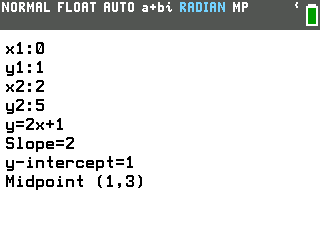
- Linear equations. From two points, or a point and a slope, it writes the
line as y=mx+b and gives the slope and y-intercept. It also finds where two lines cross, and
the midpoint between two points.
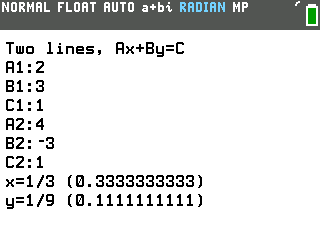
- System of equations. Type the six numbers of two lines in Ax+By=C form
and it prints x and y, as fractions when the decimals repeat. Parallel lines and the same
line typed twice each get a plain message. Line and parabola finds where y=Ax²+Bx+C
meets y=Mx+K.
- Statistics. Works on the data in L1 (and L2 for regression): MAD, sample standard deviation, and linear regression with the fitted equation, a, b, r and r². Compound interest asks for the starting amount, the rate, how many times a year, and the number of years.
- Rational equations (second page). Work problems for two people working together, rate problems for two movers heading toward each other or one chasing the other, and the asymptotes of y=A/(x−B)+C.
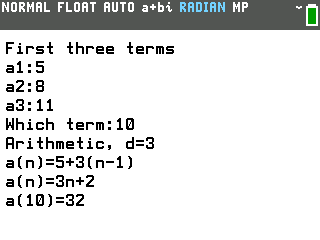
- Sequences (second page). Type the first three terms and it tells you
whether the sequence is arithmetic or geometric, writes the a(n) formula, and finds any term
you ask for. Recursive takes f(1) and a rule written with X for the previous term, like 2X+3.
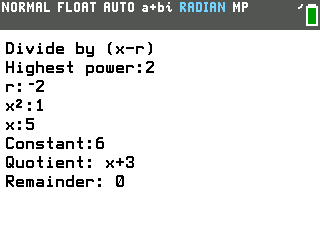
- Polynomial divider (second page). Divides a polynomial by (x−r):
type the highest power, r, and the coefficients, and it prints the quotient and the
remainder.
Good to know
- The statistics tools read L1 and L2, so put your data in first: press stat, then 1:Edit, and type the values. The tool says so if a list is empty.
- To solve an equation, use the calculator's own Numeric Solver, under MATH. How to solve equations on the TI-84 Evo walks through it.
- The quadratic tool switches the calculator to a+bi mode so it can print solutions with no real value, and leaves it on.