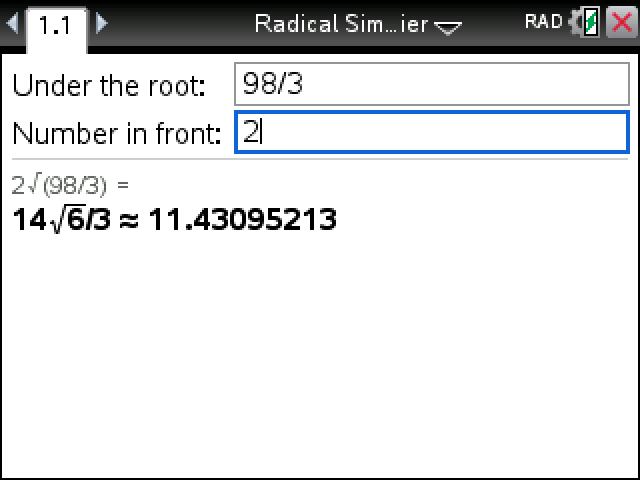
Gives a square root in simplest radical form, denominator rationalized, with the decimal next to it. √72 comes back as 6√2, and 2√(98/3) as 14√6/3.
Plug in your TI-Nspire, turn it on, and click Send to calculator.
On Windows this works with the CX II. For an original CX, use TI's TI-Nspire software.
Sending straight to your calculator works in Chrome or Edge on a computer.
By CalcPlex.
How to install it
- Download the program with the button above. You'll get a .tns file, the file type TI-Nspire calculators use.
- Open nspireconnect.ti.com in Chrome on a computer or Chromebook, and plug your calculator in with its charging cable.
- Choose File Transfer, then To Calculator, then From Computer, and pick the .tns file you just downloaded.
- When it lands, the calculator shows a prompt. Choose Open to jump straight into it.
It sits in My Documents afterwards, so you can reopen it any time.
TI's web app only supports the CX II and CX II CAS. If you have an original CX, or you already use the TI-Nspire Student Software, sending the file through that works the same.
Two fields
Open Radical Simplifier from My Documents and fill in:
- Under the root: the number inside the square root. Fractions go in with the ÷ key, so 98/3 is 9, 8, ÷, 3.
- Number in front: whatever multiplies the root. Leave it blank when there isn't one.
Move between them with tab or the up and down arrows, and press enter from either one. Decimals are fine as well: 0.5 in front of √12 gives √3.
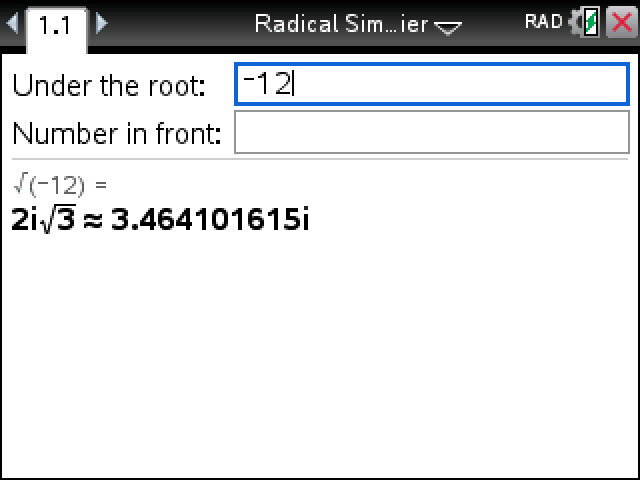
Negatives and perfect squares
A negative number under the root gives an answer with i in front of the radical: √(−12) is 2i√3. A perfect square gives a plain number, so √4096 is just 64.
Typing √72 on a non-CAS Nspire only ever gets you 8.48528137424. This gives the radical form on CAS and non-CAS models alike.