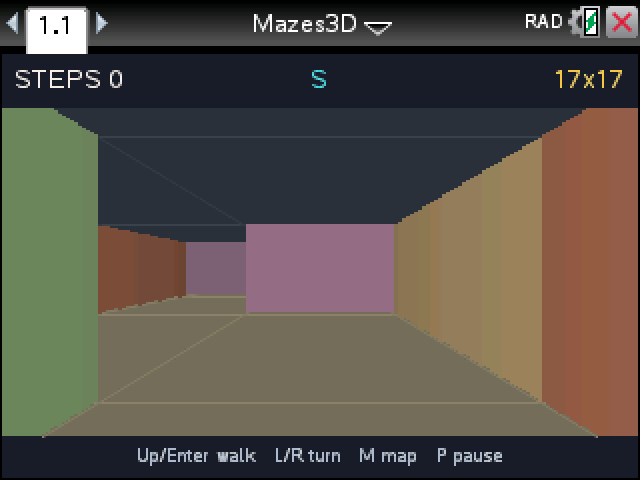
Find the gold door from inside a first-person 3D maze. Every run builds a new maze, so there's no route to memorize.
By CalcPlex.
How to install it
- Download the game with the button above. You'll get a .tns file, the file type TI-Nspire calculators use.
- Open nspireconnect.ti.com in Chrome on a computer or Chromebook, and plug your calculator in with its charging cable.
- Choose File Transfer, then To Calculator, then From Computer, and pick the .tns file you just downloaded.
- When it lands, the calculator shows a prompt. Choose Open and you're playing.
TI's web app only supports the CX II and CX II CAS. If you have an original CX, or you already use the TI-Nspire Student Software, sending the file through that works the same. The game lives in My Documents afterwards, so you can reopen it any time.
Getting around
- On the title screen, left and right choose the size: 9 by 9, 13 by 13 or 17 by 17. enter starts.
- up or enter walks forward one square and down steps back.
- left and right turn you a quarter turn on the spot.
- M opens the map and closes it again.
- R gives you a fresh maze, P pauses, esc goes back to the title.
The map only knows where you've been
The map fills in as you walk, with an arrow showing which way you're facing. Squares you haven't visited stay blank, so it won't point you to the exit, but it does stop you checking the same dead end twice.
Two more things help. The mazes have no loops, so every wrong turn ends in a dead end sooner or later. And each wall keeps its color from both sides, which makes it easier to recognize a spot you've passed before.
When you get out, the game shows your steps next to the shortest possible route. The title screen counts your escapes until you close the document.