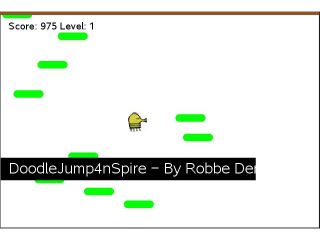
Bounce from platform to platform and climb as high as you can. The jumping is automatic; your whole job is steering left and right, and not missing.
By Robbe Derks. Original release page
How to install it
- Download the game with the button above. You'll get a .tns file, the file type TI-Nspire calculators use.
- Open nspireconnect.ti.com in Chrome on a computer or Chromebook, and plug your calculator in with its charging cable.
- Choose File Transfer, then To Calculator, then From Computer, and pick the .tns file you just downloaded.
- When it lands, the calculator shows a prompt. Choose Open and you're playing.
TI's web app only supports the CX II and CX II CAS. If you have an original CX, or you already use the TI-Nspire Student Software, sending the file through that works the same. The game lives in My Documents afterwards, so you can reopen it any time.
Steering
You only ever control the sideways movement:
- Left arrow, or 1, 4, or 7, moves left.
- Right arrow, or 3, 6, or 9, moves right.
- p pauses mid-climb.
- esc drops you back to the menu.
Having three keys per direction sounds silly until a long climb has your hand cramping and you switch fingers without missing a bounce.
There's no finish line, just how high you got before you fell. Which is exactly the kind of number friends end up competing over.