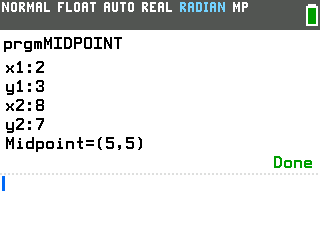
Type the coordinates of two points and this program gives you the midpoint of the segment between them.
By CalcPlex.
Send it to your calculator
Nothing listed in the connect popup: the calculator has to be plugged in and switched on to appear. Wake it up, check the USB cable (charge-only cables won't work), or move to a different port. Close any other tab that's using the calculator.
Open it on the calculator
- Press the
prgmkey. The PROGRAMMING menu opens.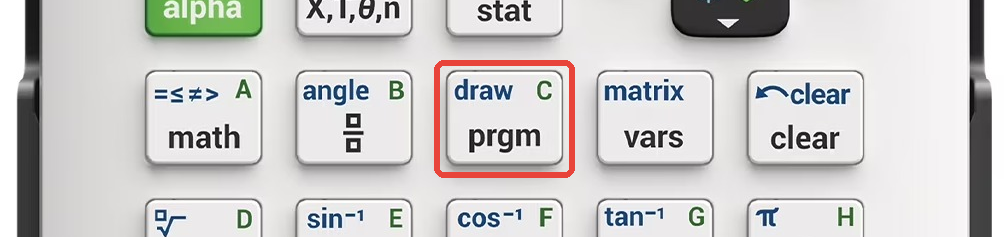
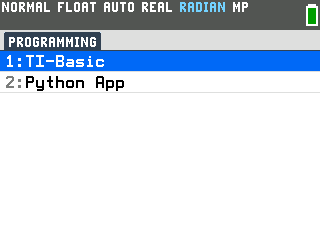
- Press
enterto select TI-Basic. The list of TI-Basic programs opens.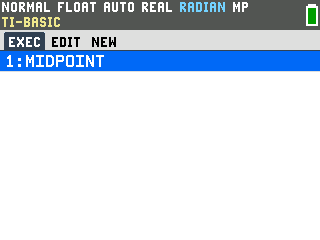
- Press
enteron MIDPOINT in the program list, which puts prgmMIDPOINT on the home screen. - Press
enterto run it. The program asks for four numbers one at a time: the x and y of your first point, then the x and y of your second point.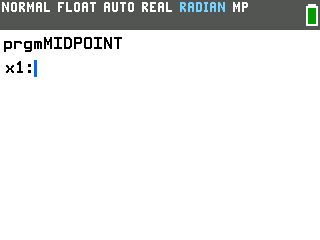
Find the midpoint of two points
- Type each coordinate and press
enterafter it. For the points (2, 3) and (8, 7), the moment you enter the last number it answers Midpoint=(5,5).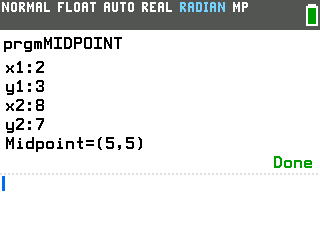
Good to know
- It's the midpoint formula, worked out for you. The program averages the two x-coordinates and the two y-coordinates, ((x₁ + x₂) / 2, (y₁ + y₂) / 2), to land exactly halfway between your points. If you want the straight-line gap between the same two points instead, the Distance Formula program takes the same four coordinates.
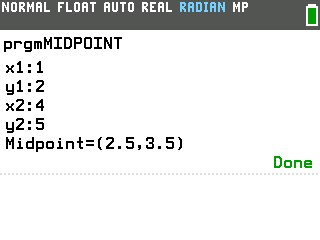
- The answer often lands on a half. Averaging two whole-number coordinates
always gives a whole number or a half, so (1, 2) and (4, 5) come out as Midpoint=(2.5, 3.5).
The .5 is exact, not a rounded-off decimal.
- Rerun it with one keypress. Pressing enter on the home screen repeats whatever you ran last, so right after a run a single enter starts a fresh set of prompts.