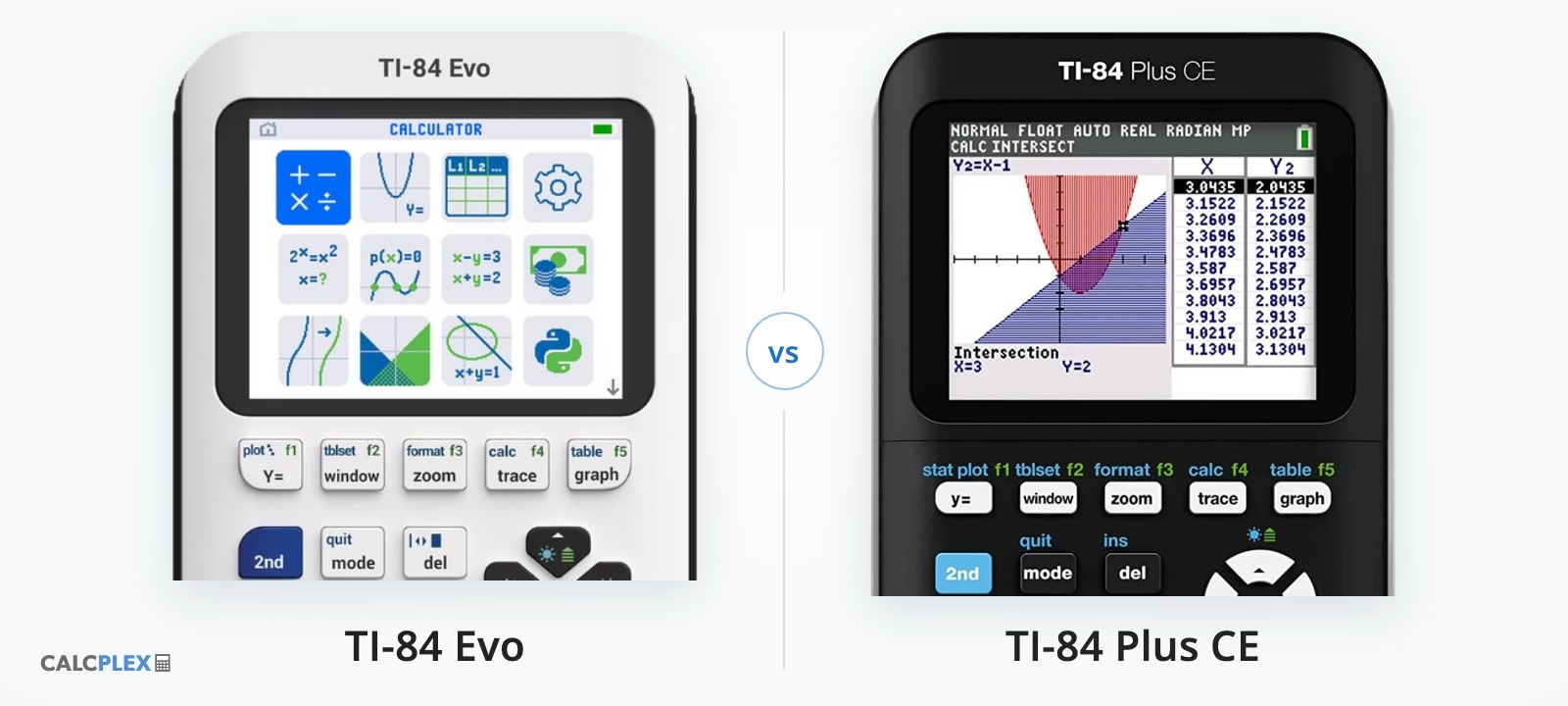
The TI-84 Evo is the first new TI-84 in over a decade. It replaces the TI-84 Plus CE, which has been the calculator that nearly every high school math class in the US is built around since 2015. A lot of students and parents are now stuck choosing between the two. I've used both, and honestly there is a lot less to this decision than the spec sheets make it look.
If you are buying your first graphing calculator, get the TI-84 Evo. If you already have a TI-84 Plus CE that works, keep it. They are accepted on the same exams, they do the same math, and your teacher will recognize either one. Below is a quick comparison, then the details that actually matter.
Quick comparison
| TI-84 Evo | TI-84 Plus CE | |
|---|---|---|
| Released | 2026 | 2015 (Python edition 2021) |
| Processor | 156 MHz ARM. About the same speed as the CE in everyday use | 48 MHz eZ80 |
| Screen | 320x240 color, brighter, graphs use the whole screen | 320x240 color, graphs have a border |
| Charging | USB-C | Mini-USB |
| Battery life | About half the CE's (roughly 12 hours of heavy use) | Roughly 26 hours of heavy use |
| Home screen | Grid of app icons | Blank calculation screen, apps behind the apps key |
| Fractions | Dedicated fraction key, one-press fraction/decimal toggle | Through the alpha and math menus |
| Python | Yes, fast, lots of memory | Python edition only, slow, little memory |
| Programs and games | Smaller library of TI-Basic and Python programs, sent from a browser | Huge library, including assembly games (needs a jailbreak on newer software) |
| SAT, ACT, AP, IB | Allowed | Allowed |
| Price | Launched a bit higher, but often on sale below the CE now | Varies by retailer, used ones are cheap |
Performance and hardware
The Evo has a 156 MHz processor, which is 3x the CE's 48 MHz on paper. In practice you won't feel it. TheLastMillennial's review timed both calculators across a bunch of operations and found the Evo anywhere from 70% faster to 15% slower depending on what you're doing. SupertutorTV's side by side had the CE graphing a set of equations slightly faster and finishing a small TI-Basic program first, and TI-Planet's benchmark had a longer TI-Basic program running about 16% slower on the Evo. The one place the extra power clearly shows up is Python, which is far faster on the Evo than on the CE Python edition.
The Evo charges over USB-C, so you can use the same cable you charge your phone or laptop with. The CE uses a mini-USB cable. This is the change owners bring up most, and it's a good one, though it doesn't charge any faster: both take around four hours.
Battery life is the Evo's biggest step backwards. In TheLastMillennial's stress test the CE ran for over 26 hours and the Evo for under 12. It's still plenty for a school day, but if you're used to charging a CE once every couple of weeks, the Evo will need it more often. Charge it the night before a test.
Screen and interface
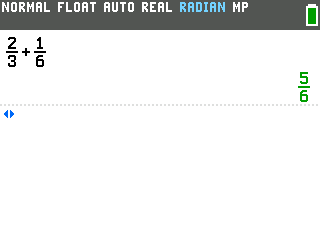
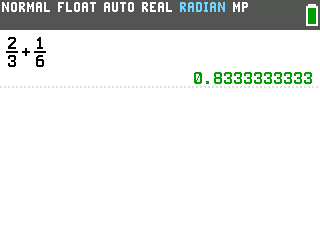
Both calculators have the exact same 320x240 screen. The Evo's is brighter and uses a new font with answers in green. Here's the same calculation on both:
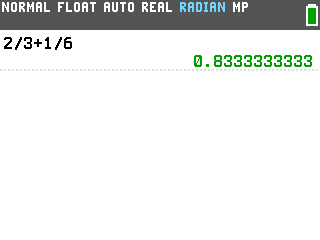
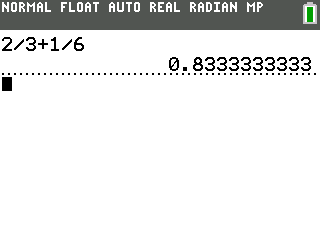
Graphs are bigger on the Evo. TI advertises a 50% larger graphing area, and that's true, but it comes from removing the border around the graph rather than from a bigger screen.
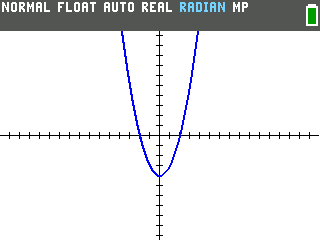
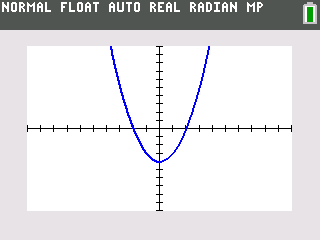
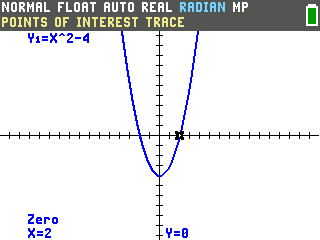
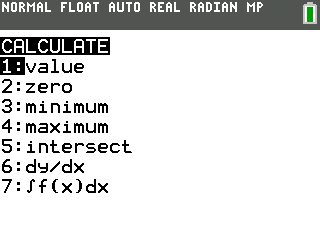
The trace is a nice upgrade. When you trace a graph on the Evo and land on an intercept or a zero, it tells you. On the CE you have to go into the CALC menu, pick "zero", and answer three prompts about bounds and a guess, for every single point. If you're in Algebra 2 or Precalc, this alone saves a lot of time.
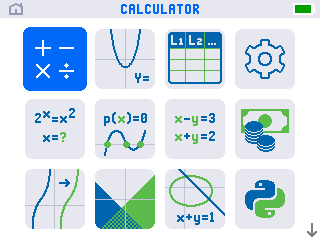
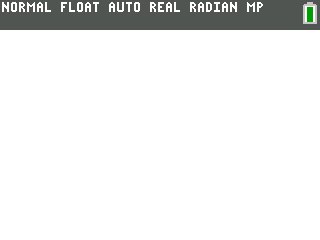
When you turn on the Evo, you get a grid of app icons instead of a blank calculation
screen. This is the change you notice first. The CE hides its apps behind the apps key, so most students never find
the polynomial solver or the inequality grapher. On the Evo they are sitting right there. The
tradeoff is one extra press of enter to get to the calculation screen when you turn
it on.
Fractions are easier on the Evo. There's a fraction key right on the keypad,
and a toggle key next to enter that flips an answer between fraction and decimal in
one press. The CE can do both, but you have to go through the alpha and math menus every time.
Programs, games and Python
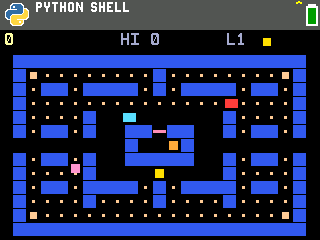
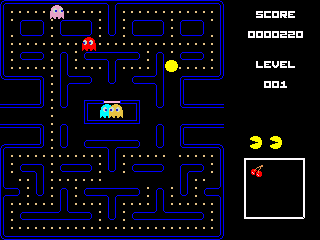
The CE is the more established platform by a mile. It's been around for over ten years and has a decade's worth of programs and games, including assembly games like Pac-Man below. Assembly unlocks far better graphics and performance than TI-Basic or Python can manage. The catch is that TI removed the ability to run assembly programs in a software update a few years ago, so on a newer CE you need to jailbreak it first.
The Evo's library is much smaller and made up of TI-Basic and Python programs. Assembly and C programs aren't supported on it right now, though that could change if a jailbreak is ever released. Our TI-84 Evo games and math programs are all built for it.
Your old CE programs won't load on an Evo. The Evo uses a new
.8xp2 file format instead of the CE's .8xp, and TI doesn't provide a
converter. Community tools exist to convert TI-Basic programs, and Python files copy over
untouched.
If you want to learn to code, the Evo is the one to get. The regular CE has no Python at all, and the CE Python edition has so little memory that anything ambitious runs out of room. TI-Planet measured roughly ten times the Python memory on the Evo. That's enough to run things like our CAS, and you can write programs right in the browser with CalcPlex PRGM.
Getting files onto the calculator works differently too. The CE uses TI Connect CE, a program you install on your computer. The Evo uses TI Connect Evo, which runs in your browser with nothing to install, and our own download pages can send games and programs straight to the Evo the same way.
Where the Evo falls short
- Some apps are missing. The periodic table, SciTools (unit conversions and constants), Probability Simulation, CelSheet and Cabri Jr are all on the CE and still not on the Evo as of its 7.1 software. TI may add them in an update, but there's no date.
- The clock is gone. Minor, but the CE has one and the Evo doesn't.
- It's a little slower to turn on.
Are they allowed on the SAT, ACT and AP exams?
Yes, both of them. TI's own list names the TI-84 Evo as approved for the SAT and PSAT, and TI's comparison chart lists the SAT, PSAT/NMSQT, ACT, AP and IB exams for both models. Neither calculator has a computer algebra system, which is the thing the College Board actually bans. If you see a third-party "approved calculators" list that mentions the CE but not the Evo, it just hasn't been updated.
Which one should you buy?
If you're buying your first graphing calculator: get the TI-84 Evo. It's the one TI will keep updating, the icon screen and the smarter trace make it easier to learn, and it has often been cheaper than the CE since its launch discounts started. Check both prices the day you buy, because they move around a lot during back to school.
If you already own a TI-84 Plus CE: keep it. Nobody I've seen review both, myself included, recommends replacing a working CE unless you specifically want Python. One thing to know if you do switch: the Evo's keypad is laid out a little differently (the apps key is gone, the arithmetic keys moved up a row, and π and e live on different keys), so a teacher reading keystrokes off a CE won't line up perfectly with what's under your fingers.
If you need the periodic table or SciTools on the calculator: the CE, for now.
If you care about games: the CE has the much bigger library today. The Evo's library will likely grow quickly, but you'll be waiting a bit.
If you're on a tight budget: a used TI-84 Plus CE. It'll do everything your class needs for a fraction of the price of either new one.
More information
- TI-84 Evo downloads: games, math programs and the CAS
- How to put games on the TI-84 Evo
- TI-84 Plus CE games
- Buy the TI-84 Evo (Amazon, affiliate link) · Buy the TI-84 Plus CE (Amazon, affiliate link). As an Amazon Associate, CalcPlex earns from qualifying purchases.