CalcPlex CAS is a computer algebra system for the TI-84 Evo. It factors, expands, solves, and takes derivatives symbolically, the kind of math the Evo can't do on its own. Answers come back exact: fractions stay fractions and square roots stay square roots instead of collapsing into decimals.
By CalcPlex.
Install it
Once it's on the calculator: press prgm, choose
Python App, pick CAS in the list, then choose
RUN. Type an expression and pick an action with the five keys under the
screen.
No Python App on your calculator? Here's how to reinstall it.
Heads up: CAS is a big program. If it shows a MemoryError when it starts, delete other programs and games until it runs. You can resend anything you deleted whenever you want it back.
CalcPlex CAS is in beta. If it gives a wrong answer, freezes, or does anything confusing, email contact@calcplex.com with what you typed and what it showed. That's usually everything we need to fix it.
What it does
- Simplify: 1/3 + 1/6 becomes 1/2. sin(π/6) becomes 1/2. √12 becomes 2√3. (x²−4)/(x−2) cancels to x+2. 2^64 comes back with all twenty digits.
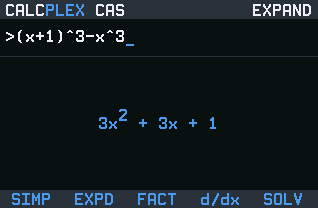
- Expand: (x+1)³ − x³ becomes 3x² + 3x + 1.
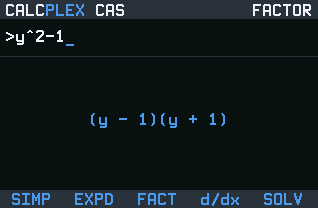
- Factor: x³ − 6x² + 11x − 6 becomes (x−1)(x−2)(x−3), and common factors get pulled out of any sum.
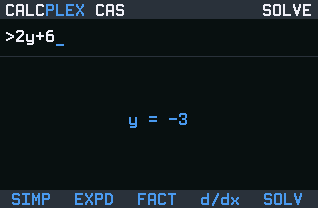
- Solve: x² − 2 = 0 gives x = ±√2, the exact roots, not 1.414.
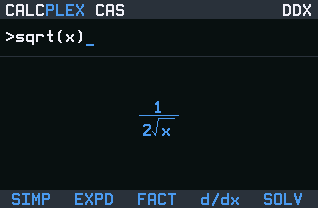
- Derivatives: d/dx of sin(x²) is 2x·cos(x²).
Results are drawn like real math: stacked fractions, radical signs, raised exponents.
A big answer scrolls with the arrow keys, and one too wide for the screen pans with
2nd + left/right. Type with the regular keypad. The 2nd and
alpha keys work the way
they do everywhere else on the calculator, so 2nd + ÷
gives π and alpha letters give you variables like y. Press
vars inside the program for a key guide.
What it won't do
We'd rather tell you the limits here than have the calculator surprise you:
- No integrals, and no complex numbers.
- Trig simplifies at the standard angles (π/6, π/4, and friends), but it won't rewrite identities like sin(2x) = 2sin(x)cos(x).
- When an equation has no clean exact answer, it says can't solve exactly instead of pretending. Honest beats confident.
- Answers usually come back combined into one tidy fraction, but on a really gnarly expression it may settle for a correct form that isn't the absolute shortest one.
- Giant number crunching has a ceiling: something like 2^100 comes back with every digit, but a power whose answer would run to many thousands of digits stays written as a power instead of freezing the calculator.
Heads up for test day: CAS tools aren't allowed on the SAT or the ACT, and other tests have their own calculator rules, so check yours before you bring this along. Removing the program takes a moment in the Python App's file manager, and you can resend it from this page any time.
Nothing listed in the connect popup: the calculator has to be plugged in and switched on to appear. Wake it up, check the USB cable (charge-only cables won't work), or move to a different port. Close any other tab that's using the calculator.