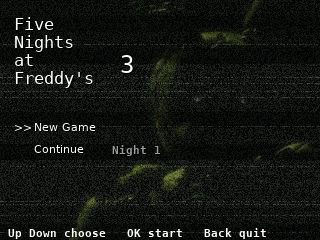
Five Nights at Freddy's 3
By Mason363.
This browser can't send to a calculator. Open this page in Chrome or Edge on a computer.
Plug in your NumWorks and click Send to calculator.
For the N0110, N0115 and N0120 with NumWorks software 23.2 or later, in Chrome or Edge.
Description
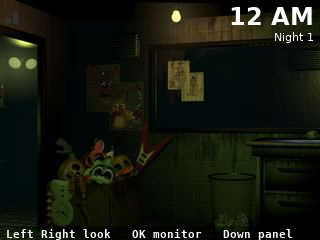
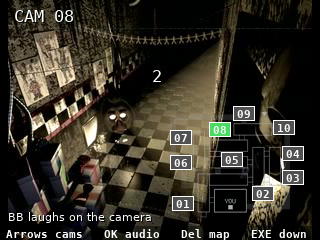
Five Nights at Freddy's 3 puts you in Fazbear's Fright with Springtrap moving through the cameras and vents. Play BB's laugh on a camera to lure him away, seal the vent he crawls into, and reboot the audio, cameras and ventilation when they fail.
The phantoms can't kill you, but their scares bring Springtrap closer. Nights 1 to 5 each end with an 8-bit minigame, and beating the game opens the 6th night and the Extras.
Controls
- Left/Right: Look left and right.
- Up/OK/EXE: Raise the monitor.
- Down: Raise the maintenance panel.
- 0 to 9: On the monitor, pick a camera.
- OK: On the monitor, play the audio or seal a vent.
- Backspace: On the monitor, switch between the camera map and the vent map.
- EXE: Lower the monitor.
- Back: Pause.
- Home: Keep the night and quit.
Credits
- By Mason363.
- Based on the game by Scott Cawthon.
- Source code: games/fnaf3 in NumPlay v1.24.15, under the GPL-3.0 license.
- CalcPlex adds a little startup code to the game as it sends it: App startup code (GPL-3.0).
Report a problemAll releases on GitHub
Installing NumWorks games
- Games run on the NumWorks N0110, N0115 and N0120 with NumWorks software 23.2 or later. The N0100 can't run apps. To see your model and software, open Settings, then About.
- Sending works in Chrome or Edge on a computer. Plug the calculator into the computer, click Send to calculator and pick it in the list that opens.
- When the game is sent, unplug the cable. The game is on the home screen.
- Games are hidden while the calculator is in exam mode, and a reset erases them.