PolyTrack
By Mason363.
This browser can't send to a calculator. Open this page in Chrome or Edge on a computer.
Plug in your NumWorks and click Send to calculator.
For the N0110, N0115 and N0120 with NumWorks software 23.2 or later, in Chrome or Edge.
Description
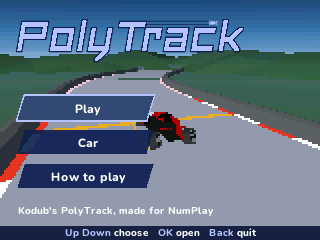
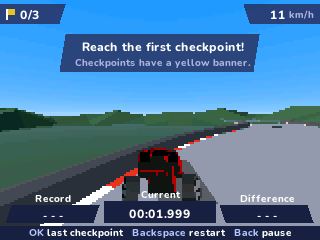
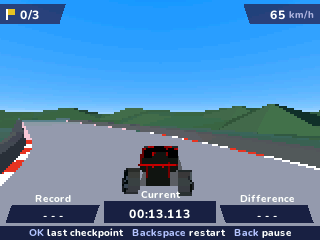
PolyTrack is a time-trial racer: drive through every checkpoint in order and cross the finish as fast as you can. All 17 of the game's tracks are here, across Summer, Winter and Desert, with loops, jumps and wall rides.
Your best time on each track is saved with a ghost car to race, and the splits show if you're ahead or behind.
Controls
- Up: Accelerate.
- Down: Brake, then reverse.
- Left/Right: Steer.
- OK/EXE: Go back to the last checkpoint.
- Backspace: Start the run over.
- toolbox: Switch between the chase view and the cockpit.
- Back: Pause.
- Home: Save and quit.
Credits
- By Mason363.
- Based on PolyTrack by Kodub.
- 3D engine by Boris-TH.
- Source code: games/polytrack in NumPlay v1.24.9, under the GPL-3.0 license.
- CalcPlex adds a little startup code to the game as it sends it: App startup code (GPL-3.0).
Report a problemAll releases on GitHub
Installing NumWorks games
- Games run on the NumWorks N0110, N0115 and N0120 with NumWorks software 23.2 or later. The N0100 can't run apps. To see your model and software, open Settings, then About.
- Sending works in Chrome or Edge on a computer. Plug the calculator into the computer, click Send to calculator and pick it in the list that opens.
- When the game is sent, unplug the cable. The game is on the home screen.
- Games are hidden while the calculator is in exam mode, and a reset erases them.