The TI-84 Evo can find the derivative of a function at any point, and it gives you the answer as a number.
Find the derivative at a point
As an example, this finds the derivative of x² at x = 2.
- Press
alpha, thenwindow. That opens the FUNC shortcut menu. nDeriv(, the numerical derivative command, is item 3.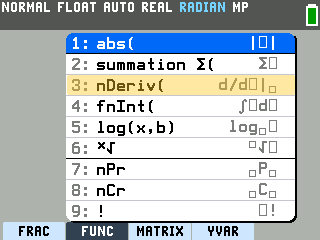
- Press
3. The derivative template appears, with the cursor in the small box under the d.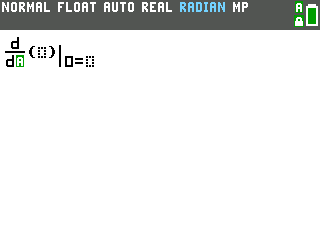
- Press the
Xkey. That box asks which variable the derivative is taken with respect to. X fills in both small boxes at once, and the cursor moves into the parentheses.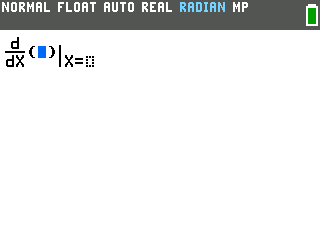
- Type the function. For x², press
X, thenx².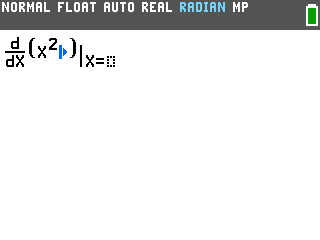
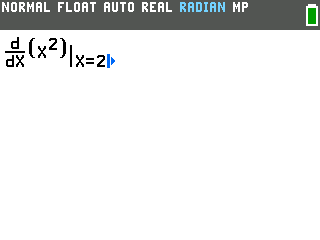
- Press the right arrow, then type 2. The right arrow moves the cursor out of the
parentheses into the X= box, which holds the point you want the derivative at.
- Press
enter. The derivative of x² at x = 2 is 4.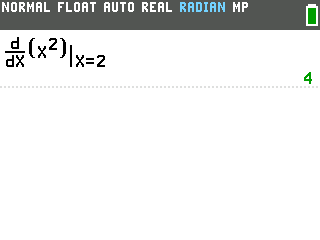
Find the derivative on a graph
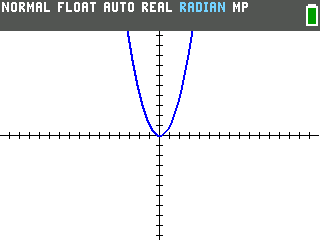
When the function is already graphed, the derivative comes straight off the graph. To follow along,
press y=, type x² on the Y1 line, and press graph.
(Graphing a function on the TI-84 Evo
covers this part in more detail.)
- Press
2nd, thentrace, and scroll down to dy/dx. The CALCULATE menu is the blue label abovetrace.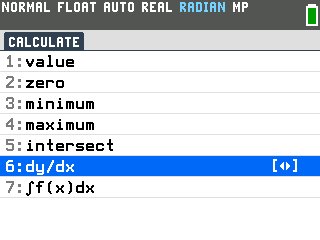
- Press
enter, then type 2. The status bar reads CALCULATING DERIVATIVE AT POINT, and the 2 goes on the X= line at the bottom.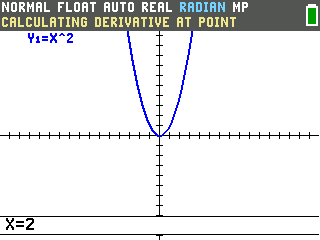
- Press
enter. The bottom of the screen reads dy/dx=4, the same answer as on the home screen.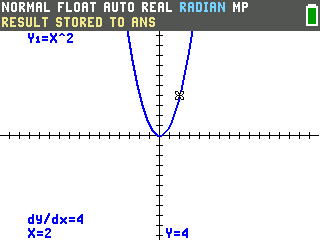
Getting the derivative as a formula
Both ways give you the derivative at one point, as a number. The TI-84 Evo has no built-in way to get the derivative as a formula, like the 2x you get from x². CalcPlex CAS adds one: it's a program that gives derivatives as formulas.
Good to know
- nDeriv( is also in the MATH menu. Press
mathand scroll down to item 8. It pastes the same template. - Exponents typed with
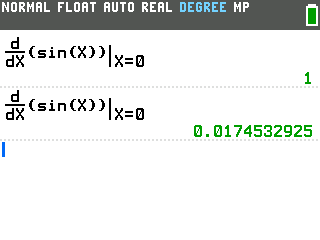
^need one more right arrow. The first press only leaves the exponent; the second moves to the X= box. Thex²key doesn't have this extra stop. - Trig derivatives expect radian mode. In degree mode, the derivative of sin(x) at
x = 0 comes out as 0.0174532925 instead of 1. If the status bar says DEGREE,
switch the angle mode back to RADIAN
first.
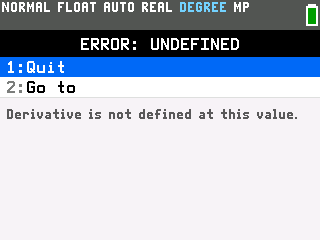
- Where there's no derivative, don't trust a number. At a sharp corner, like |x| at
x = 0, OS 7.1 shows ERROR: UNDEFINED. OS 7.0 prints 0 there instead, even though no derivative
exists.