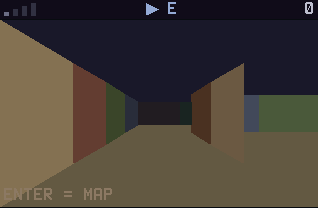
Minotaur is a first-person 3D maze on a graphing calculator. You see the labyrinth through your own eyes, corridor by corridor, and somewhere in it a minotaur is walking the same halls.
Nothing listed in the connect popup: the calculator has to be plugged in and switched on to appear. Wake it up, check the USB cable (charge-only cables won't work), or move to a different port. Close any other tab that's using the calculator.
By CalcPlex.
Controls
- Up arrow walks one step forward.
- Left / right arrows turn you. Turning costs you nothing, because the minotaur only moves when you walk.
- Down arrow spins you around to face the other way.
- ENTER opens the map. Press it again to go back to the first-person view. You can keep walking and turning from the map.
- CLEAR goes back to the title screen. Press it again there to quit.
- On the title screen, left / right arrows pick NORMAL, HUNTER or NIGHTMARE, the up or down arrow opens a two-page How to Play, and ENTER starts.
- When a run ends, ENTER plays again, the down arrow shows the map of where you went, and CLEAR goes back to the title screen.
The gold DOOR arrow at the top of the screen points toward the way out. The map starts dark and fills in only where you've been, with marks for the open ways out of each spot you've visited.
The thing in the walls
The minotaur only moves when you walk. On NORMAL it rests every second step and on HUNTER every fifth, so running gains you ground. On NIGHTMARE it keeps up step for step and never gives up.
Signal bars in the corner light up when it can hear you, and more bars mean it's closer. Out of earshot it heads to where it last heard you, then wanders, so you can lose it. When it's near enough to roar, the map shows where it is. Walls have stable colors, which quietly becomes your compass when panic sets in.
After you escape
The post-game map shows your path and where the minotaur was. The calculator keeps your fewest-steps record for each mode.