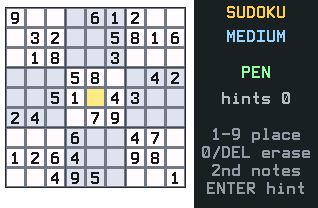
This Sudoku never runs out of puzzles. Every board is generated fresh with exactly one solution, ready in a couple of seconds.
Nothing listed in the connect popup: the calculator has to be plugged in and switched on to appear. Wake it up, check the USB cable (charge-only cables won't work), or move to a different port. Close any other tab that's using the calculator.
By CalcPlex.
Controls
- Arrows move the cursor. It wraps around the edges.
- 1–9 place a number in the selected cell. Press the same number again to clear it.
- 0 or DEL erase the cell.
- 2nd switches between pen and notes. In notes mode, 1–9 add or remove pencil marks. Placing a real number cleans up the affected notes automatically.
- ENTER is a hint: it fills the selected cell with the right number.
- CLEAR goes back to the title screen. Press it again there to quit.
- On the title screen, left / right arrows pick the difficulty and ENTER starts.
- When you solve a puzzle, ENTER gives you a new one at the same difficulty and the arrows or CLEAR go back to the title screen.
Conflicts light up red, and selecting a number highlights everywhere else it appears, two small things that make solving on a small screen comfortable.
Difficulties that mean something
EASY, MEDIUM, HARD, and EXPERT scale roughly from 46 starting clues down to 26. EASY and MEDIUM stay solvable with basic logic, no advanced techniques, so they're genuinely gentle rather than randomly easy.
A timer runs while you solve. The calculator saves your best time and your win count for each difficulty.