Clash Royale
By Mason363.
This browser can't send to a calculator. Open this page in Chrome or Edge on a computer.
Plug in your NumWorks and click Send to calculator.
For the N0110, N0115 and N0120 with NumWorks software 23.2 or later, in Chrome or Edge.
Description
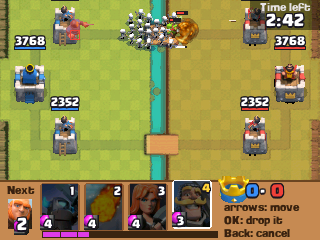
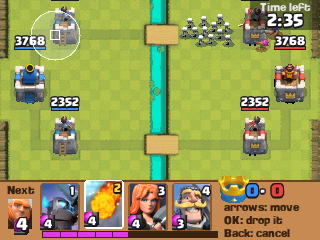
Clash Royale on the NumWorks is a one-on-one battle against a bot: drop troops, buildings and spells to knock down its towers before it takes yours. Each Princess tower is a crown, and the King tower is three.
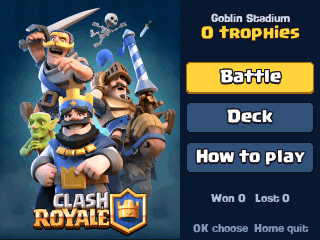
It has 41 cards from the 2016 game with their real stats, double elixir in the last minute and overtime on a tie. Build your own deck and climb seven arenas, from Goblin Stadium to the Legendary Arena.
Controls
- 1 to 4: Pick a card.
- Arrows: Move the card on the field.
- OK: Drop it.
- Back: Put the card back, or pause.
- Home: Keep the battle and quit.
Credits
- By Mason363.
- Based on the game by Supercell.
- Source code: games/clashroyale in NumPlay v1.24.15, under the GPL-3.0 license.
- CalcPlex adds a little startup code to the game as it sends it: App startup code (GPL-3.0).
Report a problemAll releases on GitHub
Installing NumWorks games
- Games run on the NumWorks N0110, N0115 and N0120 with NumWorks software 23.2 or later. The N0100 can't run apps. To see your model and software, open Settings, then About.
- Sending works in Chrome or Edge on a computer. Plug the calculator into the computer, click Send to calculator and pick it in the list that opens.
- When the game is sent, unplug the cable. The game is on the home screen.
- Games are hidden while the calculator is in exam mode, and a reset erases them.