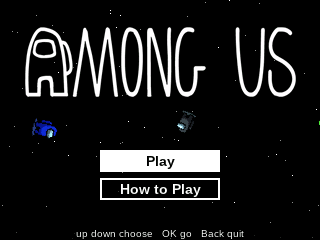
Among Us
By Mason363.
This browser can't send to a calculator. Open this page in Chrome or Edge on a computer.
Plug in your NumWorks and click Send to calculator.
For the N0110, N0115 and N0120 with NumWorks software 23.2 or later, in Chrome or Edge.
Description
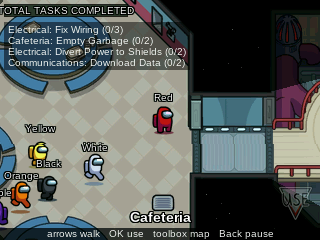
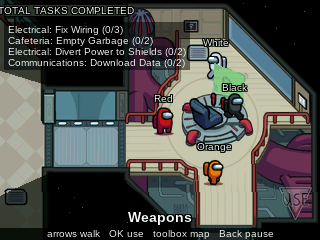
Among Us on the NumWorks puts you on the Skeld with up to nine bots. As a crewmate you walk the ship doing tasks, from wires and card swipes to the reactor and shields, and call a meeting when something looks off. As the Impostor you kill when nobody is watching, slip through vents and sabotage the lights, oxygen or reactor.
The bots report bodies, remember who they saw and vote in meetings. The lobby settings start at the original's defaults, and Home saves the round.
Controls
- Arrows: Walk, or pick the next vent while inside one.
- OK: Use, report, vent and do a task.
- EXE: Kill, as the Impostor.
- toolbox: Open the map, or the sabotage map as the Impostor.
- Back: Close, or pause.
- Home: Save and quit.
Credits
- By Mason363.
- Based on Among Us by Innersloth.
- Source code: games/amongus in NumPlay v1.24.15, under the GPL-3.0 license.
- CalcPlex adds a little startup code to the game as it sends it: App startup code (GPL-3.0).
Report a problemAll releases on GitHub
Installing NumWorks games
- Games run on the NumWorks N0110, N0115 and N0120 with NumWorks software 23.2 or later. The N0100 can't run apps. To see your model and software, open Settings, then About.
- Sending works in Chrome or Edge on a computer. Plug the calculator into the computer, click Send to calculator and pick it in the list that opens.
- When the game is sent, unplug the cable. The game is on the home screen.
- Games are hidden while the calculator is in exam mode, and a reset erases them.