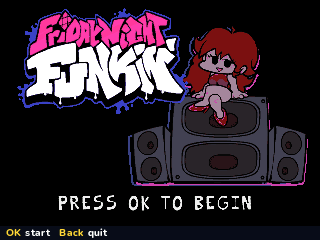
Friday Night Funkin'
By Mason363.
This browser can't send to a calculator. Open this page in Chrome or Edge on a computer.
Plug in your NumWorks and click Send to calculator.
For the N0110, N0115 and N0120 with NumWorks software 23.2 or later, in Chrome or Edge.
Description
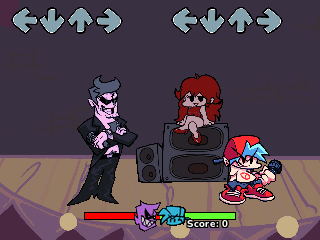
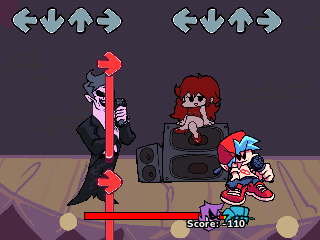
Friday Night Funkin' is a rhythm game: press the arrow keys as the notes reach the top of the screen to win each rap battle. It has the Tutorial, Weeks 1 to 7, Weekend 1 and LE SSERAFIM, with 27 songs and their Erect and Pico remixes.
Play a whole week in story mode or pick any song on its own. The calculator has no speaker, so the characters and the camera bounce to keep the beat.
Controls
- Left/Down/Up/Right: Hit the notes. 7, 8, ( and ) work too.
- Up/Down: Choose a week or a song.
- Left/Right: Choose the difficulty.
- shift: Switch between Boyfriend's and Pico's songs.
- OK: Choose.
- Back: Pause.
- Home: Save and quit.
Credits
- By Mason363.
- Based on Friday Night Funkin' by the Funkin' Crew.
- Brought to NumPlay by Bobydeluxe.
- Source code: games/fnf in NumPlay v1.24.9, under the GPL-3.0 license.
- CalcPlex adds a little startup code to the game as it sends it: App startup code (GPL-3.0).
Report a problemAll releases on GitHub
Installing NumWorks games
- Games run on the NumWorks N0110, N0115 and N0120 with NumWorks software 23.2 or later. The N0100 can't run apps. To see your model and software, open Settings, then About.
- Sending works in Chrome or Edge on a computer. Plug the calculator into the computer, click Send to calculator and pick it in the list that opens.
- When the game is sent, unplug the cable. The game is on the home screen.
- Games are hidden while the calculator is in exam mode, and a reset erases them.