One option in the TI-84 Evo's ZOOM menu resets the graphing window to the default view, with no window settings to adjust by hand.
Reset to the standard window
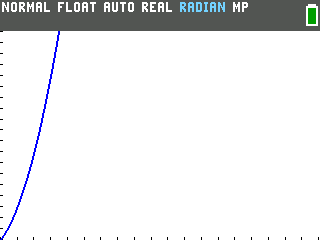
Here is Y1=X² drawn in a window that has drifted into the corner, with the axes pushed off-screen. It is the same parabola as always, just framed badly:
- Press
zoom. It sits in the top row, third from the left, and opens a numbered list of ready-made views.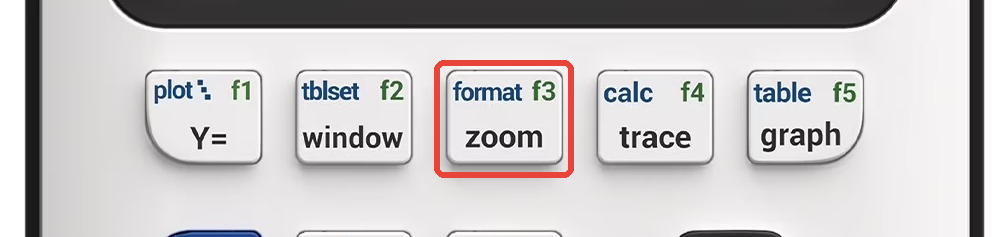
![The TI-84 Evo ZOOM menu with Zoom [-10,10] as option 6 and Zoom Fit as option 8](/images/evo/rwin-zoom-menu.png)
- Press
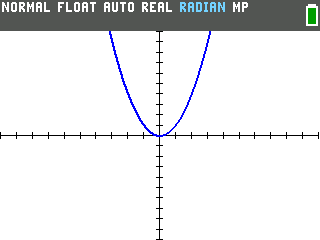
6. Option 6 reads Zoom [-10,10] or ZStandard, depending on your OS version. They do the same thing. - The graph redraws. It centers the origin and sets
both axes to run from -10 to 10, so the whole shape lands back in frame.
Good to know
- Still blank? The curve may live outside a -10 to 10 box.
Open the
zoommenu again and press the number next to Zoom Fit:8on the latest OS, or0(named ZoomFit, just below 9) on older versions. It keeps your left and right edges and rescales the top and bottom to fit the function, so a graph that was hiding above the window drops into view.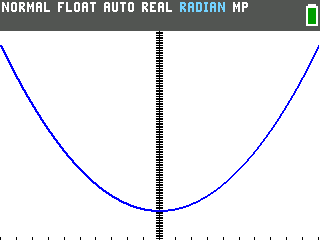
- Just need to nudge the view? 2:Zoom In and 3:Zoom Out in the same menu step closer or pull back from where you already are, without resetting anything.