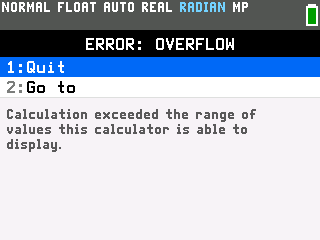
The TI-84 Evo has no dedicated factorial key, so the factorial command lives in the PROB tab of the MATH menu.
Enter a factorial
- Type the number. On the home screen, type the number you want the factorial of. This example uses 5.
- Open the MATH menu and go to PROB. Press the MATH key, then arrow right to the PROB tab.

- Choose the factorial command. Arrow down to the exclamation point, item 4, and press
enter.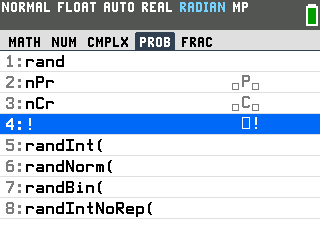
- Press
enterfor the answer. The entry line reads 5!, and pressingentergives 120.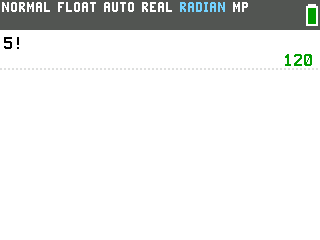
A keyboard shortcut
Once you know the factorial command is there, you can reach it without the MATH menu. Press alpha, then window, to open the FUNC shortcut menu. The factorial is item 9, so alpha, window, 9 drops the exclamation point straight onto the line after your number.
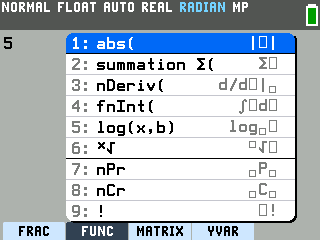
Good to know
- The largest factorial it can show is 69!. That answer is about 1.7×1098. Ask for 70! and the calculator returns ERROR: OVERFLOW, because the result is larger than it can display.