This tool takes your calculator out of test mode over its USB cable. Plug the Evo into a computer, click Connect, then click Exit test mode. Your programs and apps come back and the calculator returns to normal.
Checking your browser…
This runs in the browser and needs a computer with Chrome, Edge, or Firefox.
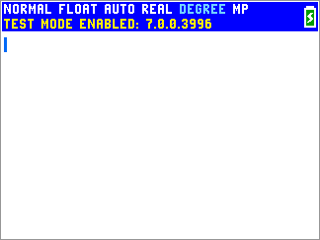
How to tell you're in test mode
A blue bar sits across the top of the screen reading TEST MODE ENABLED, and the programs and apps on your calculator stop working. A teacher or proctor switched on press-to-test before the exam, and it stays on until someone clears it.