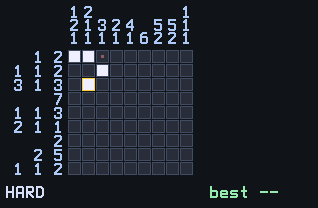
Picross (nonograms) turns logic into pictures. The numbers beside each row and column tell you the lengths of its filled runs; deduce which cells are filled and a little pixel drawing appears.
Nothing listed in the connect popup: the calculator has to be plugged in and switched on to appear. Wake it up, check the USB cable (charge-only cables won't work), or move to a different port. Close any other tab that's using the calculator.
By CalcPlex.
Controls
- Arrows move the cursor. It wraps around the edges.
- ENTER fills the cell under the cursor. Press it again to empty it.
- 2nd marks the cell with an X, for cells you know are blank. Press it again to remove the X.
- CLEAR goes back to the title screen. Press it again there to quit.
- On the title screen, left / right arrows pick the size, the up or down arrow shows how to play, and ENTER starts.
- When you solve a puzzle, ENTER gives you a new one and left / right arrows go back to the title screen.
No guessing, guaranteed
Every puzzle is generated fresh and solvable by pure logic: if you're ever tempted to guess, there is always a cell you can deduce instead. That guarantee is the difference between a logic puzzle and a coin flip.
Marking cells
The X marks are how you make progress visible: most deductions come from what can't be filled.
Sizes
Boards come in 5×5 (EASY), 7×7 (NORMAL), and 9×9 (HARD). Fives are warm-ups, nines are proper puzzles with layered row-column reasoning. The calculator keeps your best solve time for each size.