Imposter
By Mason363.
This browser can't send to a calculator. Open this page in Chrome or Edge on a computer.
Plug in your NumWorks and click Send to calculator.
For the N0110, N0115 and N0120 with NumWorks software 23.2 or later, in Chrome or Edge.
Description
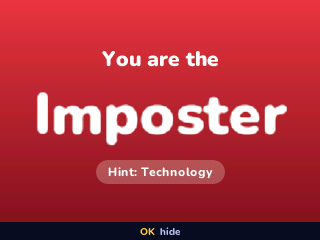
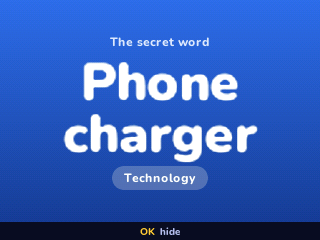
Imposter is a party game for 3 to 12 players and one calculator. Pass it around: each player sees their role alone, and everyone gets the same secret word except the imposter.
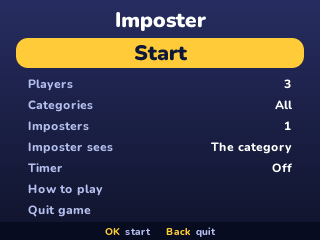
Then each player says one word about it, and you vote on who is faking. There are 30 categories and 1,695 words, up to three imposters and an optional timer. Type names with the letters printed on the keys.
Controls
- Arrows: Choose.
- OK: Choose, then see your role and hide it.
- Left/Right: Change a setting.
- EXE: Finish a name.
- Backspace: Erase a letter or remove a player.
- Back: Go back, or open the menu during a round.
- Home: Save and quit.
Credits
- By Mason363.
- Source code: games/imposter in NumPlay v1.24.15, under the GPL-3.0 license.
- CalcPlex adds a little startup code to the game as it sends it: App startup code (GPL-3.0).
Report a problemAll releases on GitHub
Installing NumWorks games
- Games run on the NumWorks N0110, N0115 and N0120 with NumWorks software 23.2 or later. The N0100 can't run apps. To see your model and software, open Settings, then About.
- Sending works in Chrome or Edge on a computer. Plug the calculator into the computer, click Send to calculator and pick it in the list that opens.
- When the game is sent, unplug the cable. The game is on the home screen.
- Games are hidden while the calculator is in exam mode, and a reset erases them.